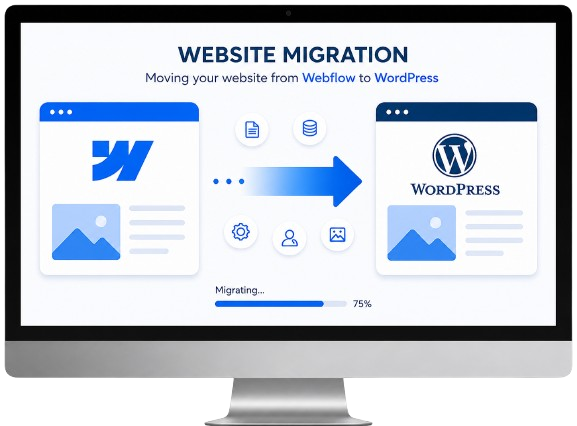
Migrate from Webflow to WordPress Without Losing SEO or Data
Upgrade yourWebflow Website to WordPress for Better Performance and Security
Get a Secure, SEO-Safe, and Zero-Downtime Webflow-to-WordPress Migration Handled by Experienced WordPress Experts.
- Zero Downtime
- SEO-Safe Migration
- 100% Data Security
- Faster Website Performance
Partners with
Trusted by the World’s Leading Brands






Free Webflow Migration Audit
Let’s Get Started with a Free Consultation
Share your project details with us, and our experts will contact you to discuss the best migration strategy for your business.
Why Businesses Trust Walstar for Website Migration
- 500+ Projects Delivered
- 8+ Years Web Development Experience
- SEO-Safe Migration Process
- Dedicated Migration Expert
- Post-Migration Support Included
Webflow to WordPress Migration
Why Businesses Leave Webflow
Helping businesses migrate from Webflow to WordPress with minimal downtime and complete Data Security.
Platform Limitations
Webflow can become restrictive for businesses that need advanced custom functionality, complex workflows, or deeper backend flexibility as they scale.
CMS Scalability Challenges
Managing large volumes of content or expanding multi-author publishing workflows inside Webflow can become difficult over time.
Limited Plugin & Integration Flexibility
Compared to WordPress, Webflow offers fewer plugin and third-party integration options for businesses with evolving marketing and operational needs.
Rising Platform Costs
As traffic, CMS items, and feature requirements grow, Webflow hosting and platform costs can increase significantly.
SEO Limitations
While Webflow supports SEO basics, businesses often require deeper technical SEO control, custom optimizations, and advanced plugin capabilities available in WordPress.
Content Management Restrictions
Non-technical teams may outgrow Webflow’s structured CMS limitations when managing dynamic content, landing pages, and large-scale publishing workflows.
Our Process
Migrate from Webflow to WordPress
1. Website Analysis & Planning
- Webflow Website Audit
- Migration Strategy Planning
- Feature & Extension Analysis
- SEO & URL Structure Review
2. Secure Backup & Data Preparation
- Full Website Backup
- CMS & Content Protection
- Media Asset Security
- Safe Migration Environment Setup
3. Content & Media Migration
- Pages & CMS Content Migration
- Images & Media Transfer
- Navigation & URL Mapping
- Content Formatting Preservation
4. Theme & Functionality Setup
- Responsive WordPress Design
- Plugin & Integration Setup
- Custom Functionality Development
- Performance Optimization
5. Website Launch & Ongoing Support
- Smooth Website Deployment
- Minimal Downtime Migration
- Post-Migration Support
- Maintenance & Security Updates
Don’t Let a Poor Migration Affect Your Business
Move from Webflow to WordPress with Confidence
We don’t just migrate Webflow websites; we modernize them with AI-ready architecture, faster performance, better SEO, and scalable WordPress systems.
SEO Preservation
Your website rankings and organic traffic are valuable. Without proper URL mapping and SEO migration, search visibility can decline after moving from Webflow to WordPress.
How We Protect SEO Performance
We preserve metadata, maintain URL structures, implement 301 redirects, and perform detailed SEO testing before launch to protect your existing rankings.
Content Accuracy
Webflow websites often contain CMS collections, structured content, media assets, and custom layouts that require careful migration into WordPress.
How We Maintain Content Structure
We accurately migrate pages, CMS content, blogs, images, navigation, and media while preserving formatting, structure, and user experience.
Website Functionality
Webflow interactions, integrations, and custom features may need to be rebuilt inside WordPress for better flexibility and scalability.
How We Rebuild Functionality
We recreate important website functionality using scalable WordPress plugins, custom development, and flexible integrations tailored to your business needs.
Enterprise Webflow Website Successfully Migrated to WordPress
Webflow to WordPress Migration with Better Speed, SEO & Scalability
“Migrating from Webflow to WordPress gave us more control over our website, improved content management flexibility, and a scalable platform that better supports our long-term growth.”

Joseph Hall
Client
- Website Performance Score Improved Significantly
- SEO Rankings & Search Visibility Successfully Preserved
- Faster Website Speed & Better Core Web Vitals
- Existing Website Design Maintained During Migration
- Improved Content Management & Publishing Workflow
- Scalable WordPress Architecture for Future Growth
METRIC
Performance Score
PageSpeed Insights
Core Web Vitals
PageSpeed Insights
Before
Webflow
48
- Failed
After
WordPress
94
- Passed
Rebuilding your Website on Webflow again?
Switch from Webflow to WordPress for Better Flexibility & Growth
 Continue with Webflow
 Migrate to WordPress
Why Businesses Trust Us for Website Migration
The Business Benefits of Moving from Webflow to WordPress
Own your website, simplify content management, and scale your digital presence with a flexible, future-ready WordPress platform.
Flexible Content Management
WordPress offers a user-friendly dashboard and scalable content workflows that make managing pages, blogs, media, and dynamic content easier for growing teams.
Better SEO & Marketing Control
WordPress provides advanced SEO tools, marketing integrations, and deeper technical customization to improve rankings, traffic, and lead generation.
Unlimited Plugin & Integration Flexibility
Access thousands of WordPress plugins and integrations to extend website functionality without platform limitations or expensive workarounds.
Improved Scalability & Ownership
WordPress gives businesses greater control over hosting, performance optimization, scalability, and long-term website ownership compared to closed platforms.
What We Migrate
What we Safely Migrate from Webflow to WordPress
Pages & CMS Collections
Images & Media Files
Menus & Navigation
SEO Metadata
URLs & Redirects
Blog Content
Contact Forms
User Data
Design Layout
Custom Features
Frequently Asked Questions
Everything you need to know about Webflow to WordPress Migration
1. Why should I migrate from Webflow to WordPress?
2. Will my existing Webflow design be preserved?
3. Will my SEO rankings be affected during migration?
4. Can I manage my WordPress website after migration?
5. Will my WordPress website be mobile-friendly?
6. Will my website be secure after migrating to WordPress?
Frequently Asked Questions
1. Why should I choose WordPress for my website?
2. Do I need hosting for my WordPress website?
3. Can I manage my WordPress website after it's built?
Absolutely! WordPress is designed to be easy to use, so once your website is live, you can easily manage and update it on your own.
4. Will my WordPress website be mobile-friendly?
5. Will my website be secure?
Ready to Migrate from Webflow to WordPress?